Microsoft Is Ending SMS MFA in 2027: What Small Businesses Need to Know
If your business uses Microsoft 365, there’s an important security change coming that you shouldn’t ignore.
Microsoft is phasing out its built-in SMS text message and voice call authentication methods for Microsoft Entra ID. Beginning February 1, 2027, most affected users will no longer be able to rely on Microsoft-provided text messages or phone calls to verify their identity when signing in.
Instead, Microsoft is encouraging businesses to move toward passkeys, a more secure way to access accounts without relying on traditional passwords or text message verification codes.
For small-business owners who manage their own technology, this might sound like another complicated IT change. However, understanding what’s happening now could help prevent employees from experiencing sign-in problems when the deadline arrives.
Here’s what you need to know.
What Is Microsoft Changing?
Many businesses use multi-factor authentication (MFA) to protect Microsoft 365 accounts.
You’ve probably experienced this yourself. After entering your password, Microsoft sends a six-digit code to your phone. You enter that code to confirm your identity and access your account.
That extra security step has helped protect accounts for years.
However, Microsoft believes it’s time to move beyond SMS and voice-based authentication.
The company is retiring the SMS and voice authentication services it provides directly through Microsoft Entra ID, the identity management platform behind Microsoft 365 business accounts.
Here are the important dates:
- September 1, 2026: Microsoft began automatically enabling passkey registration for users configured to use SMS or voice authentication.
- October 30, 2026: Businesses that still require SMS or voice authentication can begin configuring supported third-party telephony providers through Microsoft Security Store.
- February 1, 2027: Microsoft-provided SMS and voice authentication will be retired for most affected users.
- July 1, 2027: The retirement extends to Global Administrators and external users.
These dates apply to Microsoft’s public-cloud Entra ID environments. Other cloud environments will follow separate schedules.
Microsoft isn’t eliminating multi-factor authentication. It’s replacing older authentication methods with stronger alternatives.
Why Is Microsoft Getting Rid of SMS Authentication?
Text message verification codes are certainly better than protecting accounts with only a password.
Unfortunately, they’re no longer considered one of the safest ways to verify someone’s identity.
Cybercriminals have developed several techniques to intercept, steal, or trick people into revealing authentication codes.
1. SMS Phishing Attacks
Imagine receiving an email that appears to come from Microsoft.
The message claims your business email account will be suspended unless you verify your identity.
You click the link, enter your password, and receive a legitimate Microsoft verification code on your phone.
The problem? You’re actually on a fake website controlled by a cybercriminal.
When you enter that verification code, the attacker may be able to use it to access your account.
This is one reason why SMS authentication is vulnerable to phishing.
2. SIM-Swapping Attacks
Another risk is SIM swapping.
In this type of attack, criminals attempt to convince a wireless carrier to transfer someone’s phone number to a device they control.
If successful, the attacker may receive text messages intended for the victim, including authentication codes.
While SIM swapping isn’t always easy to perform, it remains a legitimate security concern.
3. Real-Time Phishing Tools
Cybercriminals can also use sophisticated phishing tools that capture passwords and authentication information in real time.
Some attacks can even intercept authenticated browser sessions.
This means that simply requiring employees to enter an SMS code doesn’t guarantee their accounts are protected.
Microsoft’s move toward phishing-resistant authentication is designed to reduce these risks.
What Are Passkeys, and How Do They Work?
Passkeys are a newer authentication technology designed to make signing in both easier and more secure.
Instead of relying on a password and a code sent through a text message, passkeys use cryptographic credentials associated with your account and a trusted device or credential provider.
For example, when signing in to Microsoft 365, you might verify your identity using:
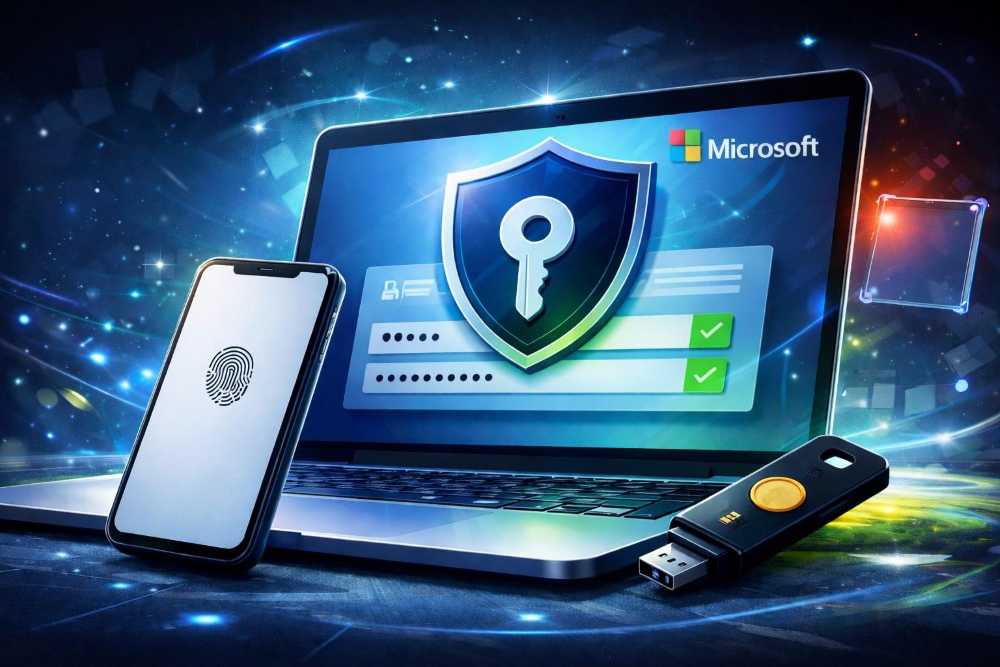
- Windows Hello facial recognition
- Your computer’s fingerprint reader
- A PIN associated with your device
- A supported passkey stored on your smartphone
- A compatible physical security key
The key difference is that passkeys are designed to resist phishing attacks.
Unlike an SMS verification code, a passkey cannot simply be copied from a text message and entered into a fraudulent website.
Passkey authentication uses cryptography and is tied to the legitimate service, making it significantly more difficult for attackers to steal credentials through traditional phishing techniques.
Another benefit is convenience.
Instead of waiting for a text message, employees can often sign in using the same biometric or device authentication method they already use to unlock their computers or smartphones.
How Will This Affect Small Businesses Using Microsoft 365?
If your company uses Microsoft 365 for business email, Microsoft Teams, OneDrive, SharePoint, or other services, these changes could affect how employees access their accounts.
However, not every Microsoft 365 customer will be impacted in the same way.
For example, if your employees already use passkeys or other supported phishing-resistant authentication methods, your organization may require little additional work.
Businesses that still rely on SMS verification codes or automated phone calls should review their authentication settings.
Here’s where problems could occur.
Employees May Encounter Unexpected Sign-In Prompts
Employees whose only available MFA method is SMS or voice may be required to register a passkey before they can continue accessing their accounts after the applicable deadline.
Microsoft says this registration requirement will be mandatory for affected users who haven’t moved to a supported alternative.
That could create confusion for employees who aren’t familiar with passkeys.
Business Owners May Need to Update Their Security Policies
If you manage your company’s Microsoft 365 environment, you’ll want to review your authentication methods and determine which employees still rely on SMS.
You may also need to update onboarding procedures, employee instructions, and account recovery processes.
Some Businesses May Still Need SMS Authentication
Microsoft recognizes that some organizations have operational, regulatory, or technical reasons for continuing to use SMS or voice authentication.
Those businesses can use supported third-party telephony providers through Microsoft Security Store.
However, this introduces an additional service relationship and potentially additional costs.
For most small businesses, moving toward passkeys will likely be the simpler long-term solution.
What Should Your Business Do Before February 2027?
The good news is that you don’t need to wait until the deadline to start preparing.
Here are five steps worth taking now.
Step 1: Review Your Microsoft 365 Authentication Settings
If you’re responsible for your company’s Microsoft 365 environment, start by signing in to the Microsoft Entra admin center.
Visit https://entra.microsoft.com.
From there, navigate to:
Entra ID → Authentication methods
Review your authentication policies and determine whether SMS and voice authentication are enabled.
You should also check Microsoft’s authentication methods activity reporting to identify which employees are registered for or actively using these methods.
Keep in mind that enabling an authentication method in a policy doesn’t necessarily mean every employee is using it.
Your goal is to understand how dependent your organization currently is on SMS and voice authentication.
Step 2: Begin Introducing Passkeys
If your business hasn’t started using passkeys, now is a good opportunity.
Microsoft supports passkey authentication through compatible devices, including Microsoft Authenticator passkeys and supported FIDO2 security keys.
Start by testing passkeys with a small group of employees.
Make sure they can successfully sign in to the Microsoft 365 applications they use every day.
Once you’re comfortable with the process, begin expanding availability throughout your organization.
Step 3: Communicate the Changes to Employees
One of the biggest challenges with authentication changes isn’t the technology itself.
It’s making sure employees understand what they need to do.
Consider sending a brief company-wide message explaining:
- Why Microsoft is changing authentication methods
- What passkeys are and how they work
- Whether employees need to register a new authentication method
- Where they can get assistance if they encounter problems
Clear instructions can help reduce confusion and support requests.
Step 4: Review Account Recovery Procedures
Before removing older authentication methods, make sure your business has a reliable way to help employees who lose access to their devices.
For example, what happens if an employee loses the phone containing their passkey?
What happens if someone replaces their laptop?
How does a new employee register their authentication method?
Businesses should establish documented recovery procedures and consider appropriate backup authentication methods.
Your IT administrator can also evaluate Microsoft Entra Temporary Access Pass as a secure option for onboarding and recovery.
Step 5: Don’t Wait Until the Last Minute
February 2027 might seem far away, but authentication changes can take time to implement properly.
Organizations with multiple employees, shared devices, contractors, or complex Microsoft 365 environments may need additional preparation.
Making these changes gradually gives your business time to test, train employees, and resolve problems before the deadline.
Does This Mean Microsoft Authenticator Is Going Away?
No.
This is an important distinction.
Microsoft is retiring its built-in SMS and voice authentication delivery services, not the Microsoft Authenticator app itself.
Microsoft Authenticator continues to support secure authentication, including passkeys on supported devices.
However, not every authentication method within an authenticator app offers the same protection.
Traditional push notifications and one-time verification codes are different from phishing-resistant passkey authentication.
Businesses should understand which methods they’re enabling rather than assuming that using an authenticator app automatically provides the strongest protection.
What Happens If You Don’t Make Any Changes?
According to Microsoft’s published guidance, affected users whose only available MFA method is SMS or voice will be required to register a passkey during sign-in after their applicable retirement date if their organization hasn’t configured a supported telephony provider.
The registration prompt cannot be skipped.
Microsoft says this doesn’t automatically mean accounts will be permanently locked. However, employees must complete the required registration before continuing to access their accounts.
For a business that depends on Microsoft 365 for daily operations, an unexpected authentication change could create unnecessary disruption.
That’s why reviewing your current settings before the deadline is so important.
Frequently Asked Questions
Is Microsoft removing MFA completely?
No. Microsoft is retiring its native SMS and voice authentication delivery for Entra ID and encouraging businesses to adopt stronger authentication methods, particularly passkeys.
Will this affect personal Microsoft accounts?
This specific retirement announcement concerns Microsoft Entra ID and business or organizational environments. It shouldn’t be interpreted as an announcement that all personal Microsoft accounts will lose SMS authentication on February 1, 2027.
Do employees need to buy security keys?
Not necessarily. Many supported devices can use passkeys through compatible authentication methods without requiring employees to purchase separate physical security keys.
Will passkeys cost extra?
Microsoft states that moving users from Microsoft-provided SMS and voice authentication to passkeys does not introduce an additional passkey migration charge. Organizations should still verify device compatibility, licensing requirements, and any implementation costs.
Can businesses continue using SMS authentication?
Yes, organizations with legitimate operational or regulatory needs may be able to continue using SMS or voice through supported third-party telephony providers available in Microsoft Security Store. That is different from continuing to use Microsoft’s retiring built-in delivery service.
Final Thoughts: Now Is the Time to Review Your Microsoft 365 Security
Microsoft’s decision to retire SMS and voice authentication reflects a broader shift in cybersecurity.
Passwords and text message verification codes have been around for years, but attackers continue to find ways to exploit them.
Passkeys offer a stronger alternative that can also make signing in more convenient for employees.
For small-business owners, the most important takeaway is simple:
If your company uses Microsoft 365, take a few minutes to review your authentication settings and determine whether your employees still depend on SMS or voice verification.
You don’t need to overhaul your entire IT environment overnight.
However, preparing now can help avoid unnecessary disruptions while improving the security of your business accounts.
And when it comes to protecting your company’s email, files, and customer information, that’s time well spent.