
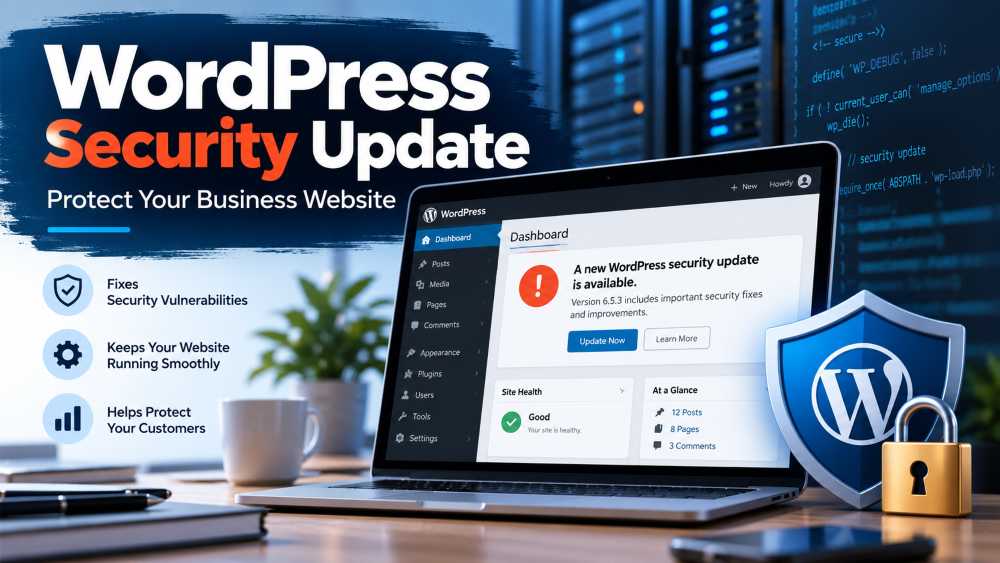
If your business website runs on WordPress, there is an important security update you should not ignore.
WordPress released version 7.1.2 on September 22, 2026, to fix a critical security vulnerability known as CVE-2026-87902. The vulnerability has a CVSS severity score of 9.2 out of 10 and, under certain conditions, could allow an attacker to execute code on a vulnerable website without first logging in.
Even more important for business owners: security researchers are now seeing attackers actively attempt to exploit the vulnerability. Reports published on September 24 indicate that attackers moved quickly from scanning websites to attempts designed to write malicious PHP files onto vulnerable servers.
For small businesses that manage their own WordPress websites, the takeaway is straightforward:
Check your WordPress version and update your website as soon as possible.
What Is the WordPress Security Vulnerability?
The vulnerability is located in WordPress Core rather than in a specific third-party plugin.
WordPress describes the issue as a problem involving how the platform resolves page templates. An attacker who does not have an account on your website can potentially manipulate this process to make WordPress load a readable PHP file located outside the normal theme directories. Under certain server and theme configurations, this can ultimately lead to remote code execution, commonly called RCE.
Remote code execution is particularly concerning because it can potentially allow an attacker to execute commands or malicious code on the server hosting a website.
For a business website, a successful compromise could potentially result in website changes, malicious files being added, stolen information, redirects to scam websites, malware distribution, or disruption of the website.
That does not mean every vulnerable WordPress website can automatically be taken over. Several technical conditions need to exist for the attack to reach the remote-code-execution stage. But because attackers do not need a WordPress username or password to attempt exploitation, WordPress has classified the vulnerability as critical.
Which WordPress Websites Are Affected?
The vulnerability affects WordPress versions dating all the way back to WordPress 4.7, including versions through WordPress 7.1.1.
That is important because WordPress 7.1.1 itself was released as a security update only a few days earlier, on September 17.
So even if you updated WordPress last week, you should check again.
For websites running the current WordPress 7.1 branch, the patched release is WordPress 7.1.2.
WordPress also backported the fix to older branches going back to WordPress 4.7. However, WordPress notes that only the newest release is actively supported, so businesses running significantly older versions should consider upgrading rather than relying indefinitely on older branches.
Attackers Are Already Targeting the Vulnerability
This is the biggest development since the vulnerability was originally announced.
Initial reporting on September 22 said there had not yet been reports of exploitation. That situation changed quickly.
Security researchers subsequently observed exploitation attempts beginning shortly after disclosure, with activity escalating from basic reconnaissance to attempts to write attacker-controlled PHP files onto vulnerable systems.
This is a good example of why businesses should not wait several weeks before installing critical WordPress security updates.
Once details about a major vulnerability become public, attackers can analyze the security patch, determine what changed, and begin scanning the internet for websites that have not yet been updated.
Small business websites are not necessarily ignored because they are small.
Automated vulnerability scanners do not care whether your website belongs to a Fortune 500 company or a local business. If a vulnerable WordPress installation is exposed to the internet, automated systems can potentially find it.
What Should WordPress Business Owners Do?
If you manage your own WordPress website, you do not need to understand the technical details of the vulnerability to protect yourself.
Take these steps:
- Back up your website. Before making major updates, make sure you have a current backup of your WordPress files and database. Many hosting providers offer automatic backups, but verify that a recent backup actually exists.
- Check your WordPress version. Log in to the WordPress Admin Dashboard and go to Dashboard → Updates. If WordPress 7.1.2 or another applicable security update is available, install it.
- Update your plugins and themes. This particular vulnerability is in WordPress Core, but keeping plugins and themes current remains one of the most important parts of WordPress security.
- Confirm your website still works. After updating, visit your homepage, contact page, checkout page, forms, login page, and other important areas of your website.
- Run a security scan. If your hosting company provides malware scanning, run it. Businesses using a WordPress security product can also perform a scan for suspicious or recently modified files.
- Review unusual activity. Look for unfamiliar administrator accounts, unexpected plugins, strange redirects, unexplained files, or unusual website behavior.
- Contact your web host if you are unsure. If you do not know whether your website has been patched, your hosting provider should be able to confirm your WordPress version and may be able to review server activity for suspicious behavior.
What If WordPress Updated Automatically?
Many WordPress websites allow security releases to install automatically.
According to WordPress, websites supporting automatic background updates should begin receiving the security update automatically.
However, business owners should still verify the update rather than simply assuming it happened.
Log in to WordPress and check your version.
For current WordPress installations, you should see WordPress 7.1.2 or newer.
If you manage multiple business websites, check every site individually.
Updating WordPress Does Not Replace a Security Check
There is another important distinction for business owners.
Installing the update protects the website from future exploitation of this particular vulnerability. However, if an attacker successfully compromised your website before you installed the patch, updating WordPress does not necessarily remove malicious files that may already be present.
Because active exploitation attempts have now been observed, businesses that were running a vulnerable configuration should consider performing a malware scan and reviewing their website for suspicious changes after updating.
If you discover unknown administrator accounts, modified WordPress files, unexpected PHP files, unauthorized redirects, or other unusual activity, consider contacting your web hosting provider or a WordPress security professional.
WordPress Security Is Part of Running Your Business
For many small businesses, WordPress is more than a website.
It may handle customer inquiries, online orders, appointment requests, marketing campaigns, email signups, customer accounts, or payments.
That means website security should be treated the same way you treat updates on your computer, smartphone, accounting software, or other important business systems.
One of the simplest things you can do is establish a routine for checking your WordPress website at least once a week.
Look for WordPress Core updates, plugin updates, theme updates, backup status, security alerts, and unexpected administrator accounts.
A few minutes of maintenance can prevent a much larger problem later.
Should You Enable Automatic WordPress Updates?
For most small businesses that do not have someone constantly managing their website, enabling automatic security updates can be a good safeguard.
There is always a small possibility that an update could create a compatibility issue with a plugin or theme. But delaying critical security patches also introduces risk.
A good compromise is to combine automatic security updates with reliable daily backups.
That way, critical vulnerabilities can be patched quickly while you still have the ability to restore your website if an update causes an unexpected problem.
The Bottom Line
If your business uses WordPress, check your website today.
WordPress 7.1.2 fixes the critical CVE-2026-87902 vulnerability, and attackers have already started attempting to exploit vulnerable websites.
You do not need to understand PHP, page-template resolution, path traversal, or remote code execution to take action.
Back up your website, install the latest WordPress security update, verify that the site is working correctly, and run a security scan.
For business owners managing their own technology, staying current with WordPress updates remains one of the easiest—and most important—ways to reduce your cybersecurity risk.