If you use an iPhone, iPad, or Mac for work or your business, there is another good reason not to ignore that software update notification.
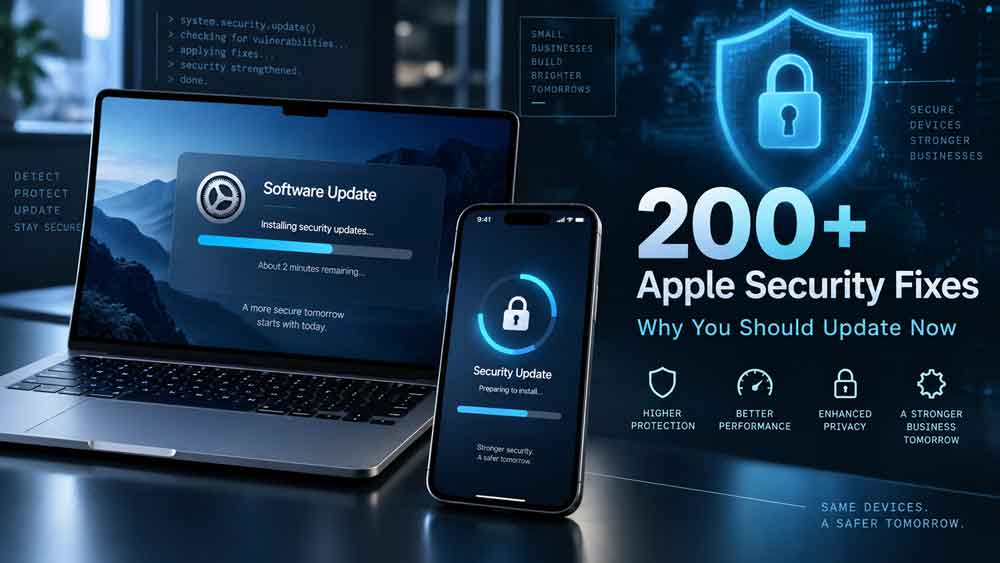
Apple released a major round of security updates on September 14, 2026, alongside iOS 27, iPadOS 27, and macOS Golden Gate 27. Across Apple’s operating systems and applications, the updates address roughly 200 security vulnerabilities, including flaws that could potentially allow attackers to access sensitive information, bypass security protections, gain elevated privileges, or execute malicious code.
The number sounds alarming, but there is an important detail: this does not mean every Apple device contained 200 separate vulnerabilities. Many of Apple’s operating systems share the same underlying components, so the same vulnerability may appear in security updates for iOS, macOS, watchOS, tvOS, and other Apple platforms.
Still, the size and severity of this update make it one Apple users — especially business owners — should take seriously.
What Did Apple Fix?
Apple’s September security releases cover a surprisingly large portion of its ecosystem.
Updates were released for:
- iOS 27 and iPadOS 27
- iOS 26.7 and iPadOS 26.7
- macOS Golden Gate 27
- macOS Tahoe 26.7
- macOS Sequoia 15.8
- Safari 27
- watchOS 27
- tvOS 27
- visionOS 27
- Xcode 27
Apple’s security documentation shows vulnerabilities affecting components ranging from Bluetooth and WebKit to the operating-system kernel, authentication services, privacy controls, file systems, networking, and Keychain-related functionality.
For iPhones and iPads specifically, security researchers counted more than 100 fixes in iOS 27, while iOS 26.7 includes more than 80. Many of those fixes overlap between the two versions.
That means users who are not ready to jump immediately to iOS 27 can still receive many important security fixes by installing iOS 26.7 on supported devices.
Some of the Vulnerabilities Were Serious
Not every security vulnerability has the same level of risk.
Some bugs may simply cause an application to crash. Others can potentially give an attacker significantly more access to a device.
Several of the vulnerabilities patched by Apple fall into the more serious category.
Kernel and Root-Level Access
One vulnerability, CVE-2026-84607, could potentially allow a sandboxed application to execute code with kernel privileges.
The kernel is essentially one of the most privileged parts of an operating system. If an attacker manages to gain kernel-level access, many of the normal security barriers separating applications from the rest of the system can potentially be bypassed.
Apple says the vulnerability was caused by a race condition and was addressed with improved state management.
Another vulnerability could allow a malicious application to gain root privileges. Root access represents extremely high-level control over a Unix-based operating system such as macOS or iOS.
These types of vulnerabilities become particularly concerning when attackers combine multiple security flaws together.
For example, one vulnerability might allow an attacker to run limited malicious code while another allows that code to elevate its privileges and gain greater access to the system.
A Bluetooth Vulnerability Could Allow Code Execution
Apple also patched a notable Bluetooth vulnerability identified as CVE-2026-65414.
According to Apple’s security documentation, the vulnerability could allow a remote attacker to cause an application to terminate unexpectedly or potentially execute arbitrary code.
The vulnerability involved an out-of-bounds write issue and was fixed through improved bounds checking.
“Remote” does not necessarily mean an attacker anywhere on the internet could instantly compromise your phone. Bluetooth attacks generally require the attacker to be within wireless range and may require other conditions.
Still, Bluetooth vulnerabilities are important because wireless connections can create attack opportunities without someone intentionally downloading a suspicious file.
Places such as airports, conferences, hotels, coffee shops, and crowded offices can potentially create environments where large numbers of Bluetooth-enabled devices are nearby.
Malicious Files and Web Content Remain a Concern
Another major group of fixes involves the way Apple devices process files, images, fonts, archives, video, and web content.
Several vulnerabilities could potentially cause memory corruption, expose information, crash applications, or allow unexpected code execution when a maliciously crafted file is processed.
WebKit — the browser engine behind Safari and many web-based applications on Apple devices — also received numerous security fixes.
Apple has previously patched WebKit vulnerabilities because browsers process enormous amounts of untrusted content every day.
You don’t necessarily have to intentionally download something suspicious for your browser to encounter malicious content. Simply loading a compromised or malicious website can expose a browser to specially crafted code.
That makes browser and WebKit updates particularly important.
Apple Also Tightened Privacy Protections
Not every vulnerability was about hackers completely taking over a device.
Apple patched numerous privacy-related problems that could potentially allow applications to access information they shouldn’t have.
Those issues included the potential exposure of:
- Sensitive user data
- Device identifiers
- Account identifiers
- Installed applications
- Location information
- Protected system files
- Keychain-related credentials
- Privacy preferences
One vulnerability affecting Apple’s account functionality could potentially allow an application to abuse the Sign in with Apple authentication flow to access a user’s Apple Account.
Another could potentially allow an application to delete credentials stored in Keychain.
Apple addressed these vulnerabilities through changes including stronger permission checks, improved authorization handling, additional restrictions, and removal of vulnerable code.
Were Hackers Already Exploiting These Vulnerabilities?
There is some good news.
As of Apple’s September 14 release, the company’s security advisories did not indicate that these particular vulnerabilities were known to have been actively exploited before the updates became available.
That is different from a true “zero-day” situation in which attackers are already exploiting a vulnerability before most users have a patch.
However, once a vulnerability becomes public, attackers have more information they can use to study it.
That’s one reason installing security updates promptly is important.
Why Small Businesses Should Pay Attention
Security updates aren’t just something large corporate IT departments need to worry about.
Small businesses may actually have more reason to stay on top of them.
Think about how much business information lives on your phone or laptop:
Email.
Banking applications.
Cloud storage.
Customer information.
Social media accounts.
Password managers.
Accounting platforms.
Shopify, WooCommerce, Etsy, or Amazon accounts.
Business documents.
Two-factor authentication applications.
If an attacker compromises the device you use to access those services, the problem can quickly become much bigger than a broken computer.
For a solo entrepreneur or small business, losing access to an email account, online store, social media account, or payment platform can potentially disrupt the entire business.
Keeping your operating system updated is one of the simplest layers of protection you can add.
What Apple Users Should Do Now
If you use Apple devices personally or for your business, there are a few steps worth taking.
First, install the latest security update available for your device.
On an iPhone or iPad, go to:
Settings → General → Software Update
On a Mac, go to:
System Settings → General → Software Update
If you’re not ready to upgrade to the newest major operating system, check whether Apple offers an updated version of your existing OS.
For example, Apple released iOS 26.7, macOS Tahoe 26.7, and macOS Sequoia 15.8 alongside its latest operating systems specifically to provide security fixes for supported devices staying on previous versions.
Second, turn on automatic updates.
Automatic updates reduce the chance that an important security patch sits uninstalled for weeks or months.
Third, update your browser and applications.
Operating-system updates are important, but outdated browsers and applications can create their own security risks.
Fourth, back up important business information.
A security update isn’t a replacement for good backups. Important files should exist somewhere other than your laptop or phone.
Cloud storage combined with an additional backup can provide another layer of protection if a device is lost, damaged, encrypted by malware, or compromised.
Businesses Managing Apple Devices Have Another Change to Watch
Companies managing iPhones and iPads through Mobile Device Management should pay particular attention to iOS 27.
Apple says legacy software-update management no longer functions across the version 27 operating systems. Organizations moving to iOS 27 and related platforms should use Apple’s newer declarative device-management approach for managing and enforcing software updates.
For businesses using an MDM platform, this is something IT administrators should test before broadly deploying version 27.
Security teams also don’t necessarily need to rush every employee to a brand-new operating-system generation on day one. Apple continuing to patch older supported releases gives organizations some time to test application compatibility while still deploying important security fixes.
The Bigger Lesson: Don’t Ignore Updates
Seeing more than 200 vulnerabilities mentioned in a security report can make it sound like Apple’s devices suddenly became unsafe.
That’s not really what happened.
Modern operating systems contain millions of lines of code and interact with everything from Bluetooth radios and cellular networks to web browsers, cameras, cloud services, graphics processors, and third-party applications.
Security researchers continuously discover weaknesses in that code.
Finding and fixing those vulnerabilities is part of the security process.
The bigger risk is leaving known vulnerabilities unpatched after fixes become available.
For most people and small businesses, you don’t need to understand every CVE number Apple publishes.
You just need a good patching habit.
When Apple, Microsoft, Google, or another major software vendor releases an important security update, don’t automatically click “Remind Me Later” for the next three months.
Back up your data, install the update, and keep your devices protected.
Sometimes one of the easiest cybersecurity improvements you can make really is just clicking Update Now.