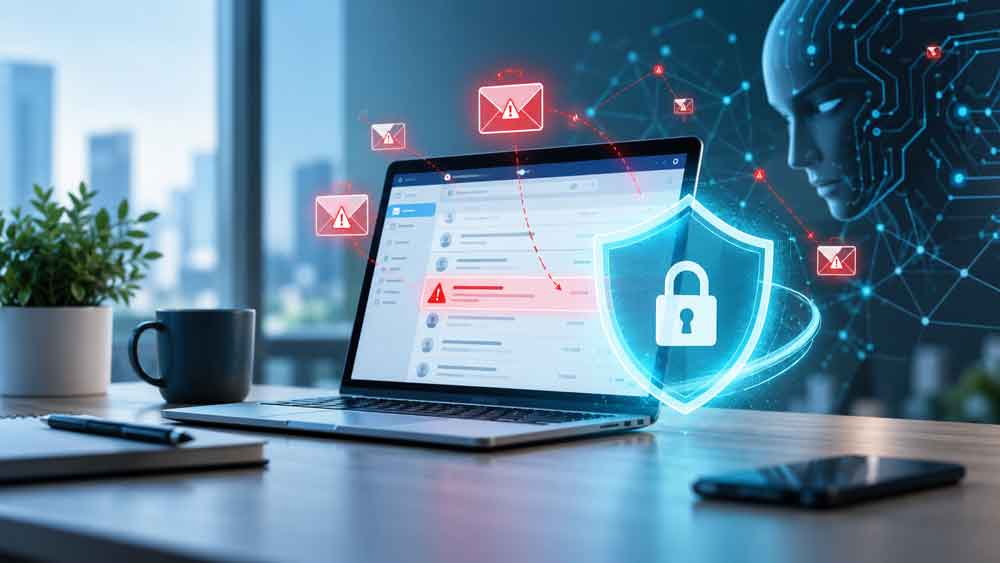
Cybercriminals are finding new ways to get into business email accounts, and artificial intelligence is making some of those attacks faster and more convincing.
Microsoft recently disrupted a cybercrime platform called EvilTokens that combined phishing, stolen account access and artificial intelligence into one service.
According to Microsoft, EvilTokens was connected to more than 12,000 compromised email inboxes across more than 10,000 organizations worldwide within months of launching in February 2026. Victims included businesses in construction, financial services, real estate, healthcare, education and other industries.
But the most important part of the story for small businesses isn’t the name EvilTokens.
It’s how the attacks worked.
In some cases, criminals could gain access to a Microsoft 365 account even though the victim never gave the attacker their password.
That changes the way businesses need to think about phishing.
Phishing Isn’t Just About Stealing Passwords Anymore
Most of us know what traditional phishing looks like.
You receive an email claiming your password is expiring, an invoice needs your attention or someone has shared a document with you.
You click a link.
The website looks like Microsoft.
You enter your username and password.
Unfortunately, the website belongs to a criminal.
That kind of phishing still happens every day.
But newer attacks can be more sophisticated.
Instead of creating a completely fake Microsoft login page, criminals can abuse legitimate Microsoft authentication processes.
One technique is called device code phishing.
What Is Device Code Phishing?
Device code authentication is a legitimate Microsoft feature.
It was designed for devices that may not have a normal keyboard or web browser, such as conference room equipment, smart TVs, printers and some Microsoft Teams devices.
Normally, a device displays a short code. You visit Microsoft’s authentication website from another device, enter the code and approve the login.
The problem is that attackers can abuse that same process.
Microsoft says EvilTokens used device code phishing to trick victims into approving authentication requests initiated by the attacker.
A simplified attack might look like this:
- You receive an email saying a document has been shared with you or your password needs attention.
- You click the link.
- The page gives you an authentication code.
- You are sent to a real Microsoft login page.
- You enter the code and approve the request.
- Instead of authorizing your computer, you may have just authorized the attacker’s session.
That’s what makes this attack particularly dangerous.
The Microsoft website can actually be legitimate.
Your password may never be entered into a fake website.
And you may even complete your normal multifactor authentication process.
But you are authenticating the wrong session.
Microsoft describes device code phishing as an attack where the victim unknowingly authorizes a threat actor’s session, giving the attacker access without requiring the victim to directly disclose their credentials.
EvilTokens Added AI to the Attack
Getting access to someone’s email account is valuable.
But attackers still need to figure out what to do once they’re inside.
Traditionally, a criminal might have to manually search through hundreds or thousands of emails looking for useful information.
EvilTokens helped automate that process with AI.
According to Microsoft’s Digital Crimes Unit, the platform’s AI tools could analyze compromised mailboxes and look for things such as:
- Vendor relationships
- Payment discussions
- Wire transfers
- Pending invoices
- Executives and financial decision-makers
- People authorized to approve payments
- Trusted business relationships
The system could then help criminals decide who to impersonate and what type of fraudulent message might be most effective.
Think about what that means for a small business.
Imagine an attacker gaining access to an employee’s mailbox and discovering an ongoing conversation with your accounting department about a $25,000 vendor payment.
Instead of sending a generic phishing message, the attacker could potentially use information from that real conversation to create something much more believable.
For example:
“Here’s our updated bank information. Please use this account for Friday’s payment.”
The message could appear to come from someone the employee already knows and could reference a payment that actually exists.
That is much harder to spot than the poorly written phishing emails businesses were dealing with 10 or 15 years ago.
AI Makes Business Email Compromise More Dangerous
This type of attack falls into a larger category known as Business Email Compromise, or BEC.
BEC attacks often involve criminals impersonating executives, employees, vendors or business partners to convince someone to send money or sensitive information.
AI potentially makes these attacks easier to scale.
Instead of manually reading a compromised mailbox for hours, tools can analyze messages and quickly identify the conversations that may have financial value.
Microsoft found that EvilTokens could use AI to identify high-value targets, including people in financial, executive and administrative roles.
For small businesses, that’s especially concerning because financial procedures are often less complicated.
The same person might:
- Receive invoices
- Approve payments
- Communicate with vendors
- Access company banking
- Manage Microsoft 365
That concentration of access can make a compromised account extremely valuable.
Isn’t Multifactor Authentication Supposed to Stop This?
MFA is still one of the most important security protections you can enable.
You should absolutely use it.
But not every form of MFA provides the same level of protection.
Attackers have developed techniques that can trick users into approving authentication requests or steal authentication tokens after a user signs in.
That’s why Microsoft is increasingly recommending phishing-resistant authentication, including passkeys and FIDO2 security keys.
Passkeys use cryptographic authentication rather than relying on a password or authentication code that can be copied or replayed. Microsoft describes passkeys as phishing-resistant credentials designed to prevent attackers from intercepting or reusing authentication secrets.
Microsoft has also begun making passkeys the default authentication experience in Microsoft Entra ID as it moves customers away from weaker methods such as SMS and voice authentication.
For many small businesses, however, moving everyone to passkeys won’t happen overnight.
There are still several things you can do right now.
7 Ways Small Businesses Can Protect Microsoft 365 Accounts
1. Be Suspicious of Unexpected Authentication Codes
One of the biggest lessons from device code phishing is simple:
Don’t enter an authentication code unless you initiated the login yourself.
If an email, document or website suddenly tells you to copy a code and enter it into Microsoft’s login page, stop and ask why.
The fact that the next page is actually Microsoft does not automatically make the request safe.
2. Pay Attention to What You Are Approving
Authentication prompts should tell you which application or service is requesting access.
Don’t automatically click Continue, Approve or Allow just because the Microsoft logo appears on the screen.
If you didn’t initiate the request, cancel it.
3. Continue Using MFA
Don’t interpret attacks like EvilTokens as evidence that MFA doesn’t work.
MFA still stops many account takeover attempts and remains an essential part of account security.
Instead, businesses should begin moving toward stronger, phishing-resistant methods where practical.
Microsoft recommends options including passkeys and FIDO2 security keys.
4. Consider Blocking Device Code Authentication
Many small businesses may have no legitimate reason for employees to use device code authentication.
Microsoft recommends blocking device code flow wherever possible and using Conditional Access policies to restrict it when certain devices actually require it.
This is something your Microsoft 365 administrator or IT provider should review before making changes because some Teams devices and other hardware may depend on the feature.
5. Verify Financial Changes Using a Second Method
This may be the most important non-technical protection.
If someone emails you asking to:
- Change banking information
- Redirect a payment
- Send a wire transfer
- Purchase gift cards
- Change payroll information
- Send sensitive documents
verify the request using another trusted communication method.
Call the vendor using a phone number you already have.
Don’t use the phone number included in the suspicious email.
Microsoft specifically recommends independently verifying requests involving changes to payments or unusual financial transactions through a trusted second channel.
6. Watch for Suspicious Inbox Rules
Attackers who compromise email accounts sometimes create inbox rules that automatically hide, delete or redirect certain messages.
For example, an attacker impersonating one of your vendors could create a rule that hides replies from that vendor.
The real vendor keeps emailing you.
You just never see the messages.
Microsoft recommends monitoring suspicious inbox-rule creation as one indicator of possible business email compromise.
7. Know What to Do If an Account Is Compromised
Changing the password is important.
But it may not be enough.
Microsoft warns that attackers using stolen authentication tokens may maintain access even after a password has been reset.
Administrators may also need to revoke active sessions and refresh tokens, investigate newly registered devices, inspect mailbox forwarding and inbox rules, and temporarily disable the account while the incident is contained.
If you’re not comfortable performing those steps yourself, contact your IT provider immediately.
Small Businesses Need to Update Their Phishing Training
For years, one of the most common security tips has been:
Check the website address before entering your password.
That’s still good advice.
But it isn’t enough anymore.
Employees also need to understand that attackers can sometimes manipulate legitimate authentication systems.
A better rule might be:
Never approve a login, MFA request or authentication code that you didn’t personally initiate.
That small change in thinking can stop an entire category of attacks.
The Bigger Lesson From EvilTokens
Microsoft and its partners disrupted EvilTokens by seizing 50 websites and disabling more than 150 additional domains associated with its infrastructure. UK authorities also arrested two men in connection with the alleged operation.
But EvilTokens is unlikely to be the last service of its kind.
The bigger concern is the model it demonstrated.
AI can help criminals analyze stolen information faster, identify valuable targets and generate more convincing messages.
That means phishing may become increasingly personalized.
Businesses should prepare for emails that contain correct names, real vendors, legitimate projects and accurate financial details.
The old signs of phishing—bad grammar, strange formatting and obviously fake messages—may become less reliable.
Your strongest defense will increasingly depend on process, not simply whether an email “looks real.”
Use strong authentication.
Slow down when an unexpected login request appears.
Verify financial transactions independently.
And make sure employees know that even a legitimate Microsoft login screen doesn’t automatically mean the request that sent them there is legitimate.
For a small business, those simple habits can be the difference between deleting a phishing email and dealing with a compromised Microsoft 365 account.