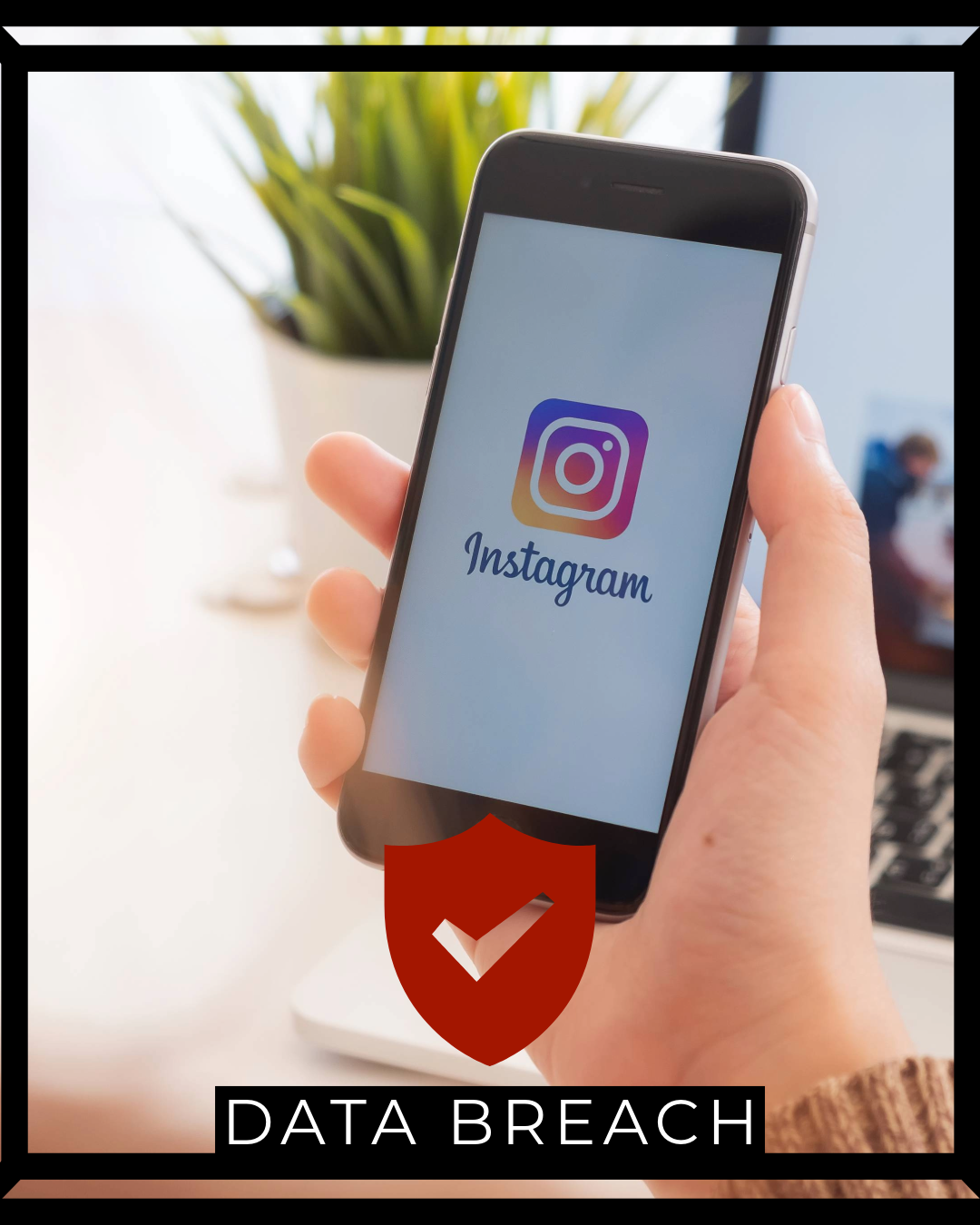
A massive data breach has exposed the personal information of approximately 175 million Instagram users, sending shockwaves through the small business community. If your business relies on Instagram for marketing, customer engagement, or sales, this breach demands immediate attention. This isn’t just about personal accounts—it’s about protecting your business reputation, customer relationships, and revenue streams.
What Happened: The Breach Details
The Instagram data breach has compromised a staggering amount of user information, affecting roughly 175 million accounts worldwide. According to cybersecurity experts, the exposed data includes email addresses, phone numbers, and potentially other personal details that hackers can exploit for targeted attacks.
For small business owners who use Instagram as a primary marketing channel, this breach creates a perfect storm of vulnerabilities. Your business account, personal account, and customer interactions may all be at risk.
Timeline and Discovery
While Instagram parent company Meta hasn’t released a comprehensive public statement detailing the exact timeline, security researchers discovered the breach through dark web monitoring and unauthorized data sales on underground forums. The compromised data appears to have been collected over an extended period, suggesting that hackers had persistent access to Instagram’s systems or exploited a significant security vulnerability.
What Data Was Exposed
The breach reportedly includes:
- Email addresses – Primary contact information for millions of accounts
- Phone numbers – Direct access points for SMS phishing attacks
- Account usernames – Critical for targeted social engineering
- Full names – Personal identification that enables sophisticated scams
- Profile information – Bio details that hackers use to personalize attacks
For business accounts, this data exposure is particularly dangerous because scammers can now impersonate your brand with convincing details pulled directly from your legitimate profile.
Why This Matters for Your Small Business
If you’re thinking “I don’t have anything worth stealing,” you’re missing the bigger picture. This breach threatens three critical business assets:
1. Your Brand Reputation
Cybercriminals can use your compromised account information to:
- Create convincing fake accounts that impersonate your business
- Send fraudulent messages to your followers and customers
- Post malicious content that damages your brand reputation
- Run scam promotions that steal money from your loyal customers
One small bakery in Oregon lost 40% of their Instagram following after scammers created a near-identical account and ran a fake giveaway that collected customer credit card information. The business spent six months rebuilding trust.
2. Customer Relationships
Your Instagram followers aren’t just numbers—they’re real customers who trust your business. When scammers use your compromised data to target your audience, that trust evaporates. Customers won’t distinguish between a legitimate breach and poor security practices; they’ll simply associate your brand with the negative experience.
3. Revenue Streams
For businesses generating 20-50% of revenue through Instagram sales or leads, account compromise can mean immediate income loss. Even a 48-hour lockout while you regain control can cost thousands in lost sales, especially during peak seasons or promotional campaigns.
Immediate Actions: What to Do This Weekend
Don’t wait for Meta to send you a notification. Take these steps immediately to protect your business and personal accounts.
Step 1: Change Your Password (Do This First)
Time Required: 5 minutes
Create a strong, unique password specifically for Instagram:
- Open the Instagram app on your mobile device
- Go to Settings → Security → Password
- Enter your current password
- Create a new password with at least 15 characters including:
- Uppercase and lowercase letters
- Numbers
- Special symbols (!@#$%^&*)
- Do NOT reuse passwords from other accounts
Pro Tip: Use a password manager like Bitwarden (free) or 1Password ($3/month) to generate and store complex passwords. This ensures you’ll never forget your new credentials while maintaining maximum security.
Step 2: Enable Two-Factor Authentication (2FA)
Time Required: 10 minutes
This is your strongest defense against unauthorized access:
- Go to Settings → Security → Two-Factor Authentication
- Choose your preferred method:
- Authenticator App (MOST SECURE): Use Google Authenticator, Authy, or Microsoft Authenticator
- SMS Text Message (ACCEPTABLE): Receive codes via text (less secure but better than nothing)
- Follow the prompts to complete setup
- Save your backup codes in a secure location (not on your phone)
Business Owner Specific: If you manage multiple Instagram accounts for different business locations or brands, enable 2FA on ALL accounts, not just your main business profile.
Step 3: Review Recent Account Activity
Time Required: 8 minutes
Check for suspicious access:
- Go to Settings → Security → Login Activity
- Review the list of locations and devices that accessed your account
- Look for:
- Unfamiliar locations (especially foreign countries)
- Unknown devices or operating systems
- Login times when you weren’t using Instagram
- Tap suspicious entries and select “This Wasn’t Me”
If you see unauthorized access, Instagram will prompt you to secure your account immediately. Follow all on-screen instructions.
Step 4: Verify Connected Apps and Websites
Time Required: 5 minutes
Third-party apps with Instagram access create additional vulnerability points:
- Go to Settings → Security → Apps and Websites
- Review the “Active” tab showing apps with current access
- Remove any apps you:
- Don’t recognize
- Haven’t used in the past 90 days
- No longer need for business operations
- Be especially cautious of scheduling tools, analytics platforms, or growth services
Warning: Some legitimate business tools require Instagram access. Don’t blindly remove everything—verify each app’s purpose before disconnecting.
Step 5: Update Your Email Security
Time Required: 15 minutes
Since email addresses were exposed, secure your primary email account:
- Change your email password (use a unique password)
- Enable 2FA on your email account
- Review email recovery options (phone number, backup email)
- Check email forwarding rules for suspicious redirects
- Review recent email activity for unauthorized access
This step is crucial because your email is often the master key to password resets across all platforms.
Advanced Protection for Business Accounts
If Instagram generates significant revenue for your business, implement these additional security measures.
Professional Account Monitoring
Budget: $0-$50/month
Consider services that monitor for brand impersonation and unauthorized use of your business identity:
- Brand24 ($49/month) – Monitors social media for mentions and fake accounts
- Brandwatch (Enterprise pricing) – Comprehensive social monitoring
- Google Alerts (FREE) – Basic monitoring for your business name
Set up alerts for variations of your business name, common misspellings, and branded hashtags. This helps you catch impersonation attempts early.
Backup Communication Channels
Never rely solely on Instagram for customer communication. Establish backup channels:
- Email newsletter – Collect customer emails through website signups
- SMS marketing – Build a direct text message list
- Facebook Page – Maintain presence on multiple platforms
- Your website – Your owned digital property that can’t be compromised by platform breaches
One jewelry business lost Instagram access for three weeks due to a hack. Because they had an email list of 5,000 customers, they maintained sales through direct email promotions while recovering their account.
Employee Access Management
If multiple team members manage your Instagram:
- Use Meta Business Suite for centralized control
- Grant only necessary permissions (don’t make everyone an admin)
- Require 2FA for all team members with access
- Conduct quarterly access reviews to remove former employees
- Create a written social media access policy
Document who has access, what level of permissions they hold, and when access was last reviewed.
Protecting Your Customers from Instagram Scams
Your customers are targets too. Proactive communication builds trust and protects your community.
Immediate Customer Communication
Post a clear message on your Instagram account:
“We’re aware of the recent Instagram data breach. Our team is taking all necessary security measures. Be cautious of any messages claiming to be from us that ask for passwords, payment information, or personal details. We will NEVER ask for sensitive information through Instagram DMs. If you’re unsure about a message, contact us directly at [your business email/phone].”
Pin this post to your profile for maximum visibility.
Educate Your Audience
Create Instagram Stories or Reels explaining:
- How to recognize fake accounts impersonating your business
- Warning signs of phishing messages
- Your legitimate contact methods and what information you actually request
- How customers can verify they’re interacting with your real account
This content positions you as a trusted advisor while protecting your community.
Verification Badge Considerations
If your business has significant Instagram presence, consider applying for verification:
- Go to Settings → Account → Request Verification
- Provide official business documentation
- Submit a clear photo of government ID or business license
While verification doesn’t guarantee security, the blue checkmark helps customers distinguish your legitimate account from imposters.
What to Do If Your Account Gets Compromised
Despite best efforts, accounts still get hacked. Having a response plan saves time and minimizes damage.
Immediate Response Checklist
If you lose access to your account:
- Visit Instagram.com/hacked on a desktop browser
- Follow the account recovery process:
- Request a security code sent to your email or phone
- Submit a video selfie for identity verification
- Provide official business documentation if requested
- Alert your followers through alternative channels (email, Facebook, website) that your account is compromised
- Document everything – Take screenshots of suspicious activity, unauthorized posts, and the recovery process
- Report the compromise to Meta through multiple channels
Recovery Timeline
Account recovery typically takes:
- Self-service recovery: 1-2 hours if you have access to linked email/phone
- Video selfie verification: 24-48 hours for Meta review
- Complex cases: 5-14 days requiring business documentation
During recovery, your account may be inaccessible, so maintaining backup communication channels is essential.
Post-Recovery Actions
Once you regain access:
- Change password immediately
- Enable 2FA if not already active
- Review and revoke all connected app permissions
- Check DM history for messages sent by hackers
- Post a public explanation for your followers
- Delete any posts created during the compromise
- Review follower changes (unfollows, new follows)
Consider this a security audit opportunity—implement stronger measures to prevent future incidents.
Long-Term Instagram Security Strategy
One-time fixes aren’t enough. Build ongoing security into your business operations.
Monthly Security Audit
Time: 20 minutes/month
Set a monthly calendar reminder to:
- Review login activity for suspicious access
- Check connected apps and remove unused services
- Update password if using the same one for 90+ days
- Verify backup codes for 2FA are accessible
- Review follower growth for unusual patterns (bot accounts)
Quarterly Team Training
If employees manage your Instagram:
- Conduct security awareness training
- Review phishing examples and warning signs
- Update social media policy documentation
- Practice account recovery procedures
- Audit team member access levels
Annual Professional Assessment
Budget: $300-$500
Consider hiring a cybersecurity consultant to:
- Audit your social media security posture
- Review all platform integrations and third-party tools
- Recommend enterprise-level security measures
- Create customized incident response plans
This investment protects accounts generating thousands in monthly revenue.
Budget-Friendly Security Tools
You don’t need an enterprise budget to protect your Instagram account. Here are cost-effective solutions:
Free Tools
- Google Authenticator – 2FA authentication app
- Bitwarden – Password manager with free tier
- Have I Been Pwned (haveibeenpwned.com) – Check if your email appears in known breaches
- Instagram’s Built-in Security Features – Login activity, 2FA, app management
Low-Cost Solutions ($5-$50/month)
- 1Password ($3/month individual, $20/month business) – Premium password management
- Authy (FREE with premium features) – Multi-device 2FA
- NordPass ($1.49/month) – Password manager with breach monitoring
- Keeper Security ($2.92/month) – Password vault with dark web monitoring
Mid-Tier Investment ($50-$200/month)
- Sprout Social ($249/month) – Social media management with security features
- Hootsuite ($99/month) – Secure scheduling and access management
- LastPass Business ($7/user/month) – Team password management
- Brand24 ($49/month) – Brand monitoring and impersonation detection
Choose tools based on your revenue from Instagram. If you generate $5,000/month through Instagram, investing $50-100/month in security is a 1-2% insurance premium on that revenue stream.
Red Flags: Signs Your Account May Be Compromised
Monitor for these warning signs indicating unauthorized access:
Account Behavior Changes
- Posts or Stories you didn’t create
- Messages sent from your account that you don’t remember
- Following or unfollowing accounts without your action
- Changes to your bio, profile picture, or account name
- New email address or phone number associated with account
Audience Reactions
- Followers reporting suspicious DMs from your account
- Comments asking “Is this really you?” on your posts
- Sudden drop in engagement rates
- Increase in spam comments on your profile
- Customer complaints about fake promotions or giveaways
Technical Indicators
- Login notifications from unfamiliar locations
- Password reset emails you didn’t request
- Changes to security settings you didn’t make
- New devices appearing in your login activity
- Blocked access when trying to log in
If you notice any of these signs, assume your account is compromised and begin recovery procedures immediately.
The Bigger Picture: Instagram in Your Security Strategy
This breach highlights a critical vulnerability in many small business operations: over-reliance on platforms you don’t control.
Diversification Is Security
Consider Instagram one channel in a multi-platform strategy:
- Owned Platforms: Your website, email list, blog
- Rented Platforms: Instagram, Facebook, TikTok, Twitter
- Direct Communication: SMS, WhatsApp Business, customer phone numbers
When one platform experiences a breach or outage, your business continues operating through alternative channels.
Data Ownership Matters
Any customer information stored exclusively on Instagram is at risk. Regularly export your:
- Follower list (if using business account analytics)
- Customer inquiries and DM history
- Performance metrics and insights
- Content archive (posts, Stories highlights, Reels)
Store this data securely on your own systems, not just within Instagram.
Platform Alternatives
Explore emerging platforms and technologies:
- Decentralized social networks – Mastodon, Bluesky (less vulnerable to centralized breaches)
- Newsletter platforms – Substack, ConvertKit, Beehiiv (you own subscriber relationships)
- Community platforms – Discord, Circle, Mighty Networks (direct member relationships)
- Your own mobile app – Even simple apps give you direct customer access
The goal isn’t abandoning Instagram but building a resilient digital presence that survives platform-specific incidents.
Moving Forward: Your Action Plan
Don’t let this breach paralyze you with fear or overwhelm. Break your response into manageable phases:
This Weekend (2-3 hours)
- Change Instagram password
- Enable two-factor authentication
- Review login activity and connected apps
- Update email account security
- Post customer advisory about the breach
Next Week (1 hour)
- Set up password manager for all business accounts
- Document all team member access levels
- Create backup communication channels (email list, SMS)
- Implement monthly security audit calendar reminder
This Month (2-4 hours)
- Apply for Instagram verification (if eligible)
- Set up brand monitoring alerts
- Export and backup your Instagram data
- Create written social media security policy
This Quarter (4-6 hours)
- Conduct team security training
- Review and update incident response plan
- Audit all third-party social media tools
- Consider professional security consultation
Ongoing
- Monthly security audits (20 minutes)
- Quarterly team training sessions (1 hour)
- Annual professional security review ($300-500)
Final Thoughts: Security as Business Investment
The Instagram breach affecting 175 million users isn’t just a tech problem—it’s a business continuity issue. Small businesses often view security as an optional expense, but a single account compromise can cost thousands in lost revenue, customer trust, and brand reputation.
Consider your Instagram security investment proportional to the value you derive from the platform. If Instagram generates $5,000/month for your business, spending 2-5 hours implementing security measures and $50-100/month on protective tools is a minimal investment protecting $60,000 in annual revenue.
The businesses that thrive aren’t those who avoid breaches entirely (impossible in today’s landscape) but those who prepare adequately, respond quickly, and maintain customer trust through transparent communication and proactive protection.
Take action today. Your future self—and your customers—will thank you.